Stop guessing what to write. Start winning more clients.
Upwork Desk turns any job posting into a sharp, on-brand proposal in seconds - using your actual skills, your real portfolio, and rules that never let you sound like everyone else.
RegisterClient testimonials
Freelancers and teams who use Upwork Desk to turn job posts into polished, on-brand proposals.
Manage your entire proposal workflow in one place
Who is Upwork Desk built for?
Freelancers & Solopreneurs
Write tailored proposals without repeating yourself every time. Your stack, your story, your voice - baked into every generation.
Consultants & Specialists
Position your expertise clearly. Stop underselling yourself with generic intros that clients skip past in 3 seconds.
Small Agencies & Studios
One workspace for your whole team. Consistent proposals, shared portfolio, and a pipeline that tells you what's working.
How it works
- Install the extension and paste API URL, token, and Admin ID from your UpworkDesk account.
- Open My Feed when you want monitoring; enable auto-refresh if you want timed reloads.
- New jobs appear in Job Alerts; use notifications (and the in-app bell) so you do not miss a match.
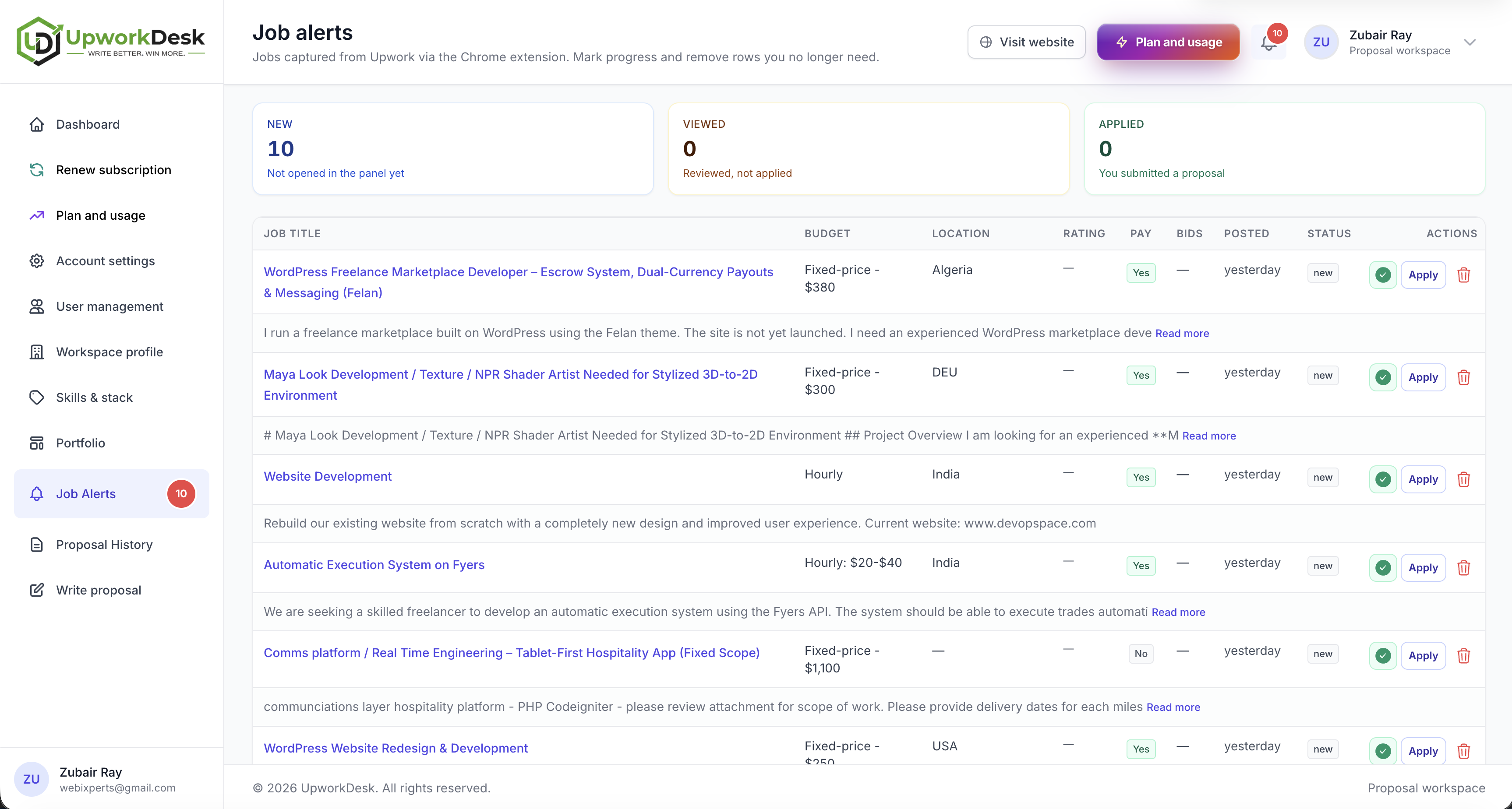
Upwork Job Alerts - new posts in your workspace, automatically
The UpworkDesk Chrome extension watches your Upwork My Feed, detects new job cards, and sends them into Job Alerts so you stop copying posts by hand.
Each capture includes title, description snippet, budget, location, client rating, payment verified, proposal count, posted time, and the job link. Connect once with your API URL, bearer token, and Admin ID — jobs land in the correct tenant workspace.
Monitors: Upwork My Feed (opens in a new tab).
- My Feed only — refresh and scrape logic run on My Feed; other Upwork tabs are left alone.
- Optional auto-refresh on a random 2–4 minute rhythm so checks feel natural (turn it off anytime).
- Dedupe memory — only unseen jobs are POSTed to your API after each refresh.
- Chrome desktop notifications when the API accepts a job; optional bell on Job Alerts if that page is open in the background.
Upwork may change page layout; the extension is maintained against the live My Feed. Turn auto-refresh off if you prefer not to reload My Feed on a timer. Replace placeholder extension icons with your branding before a public launch.
Open workspaceClient Discussion - interview replies with full memory
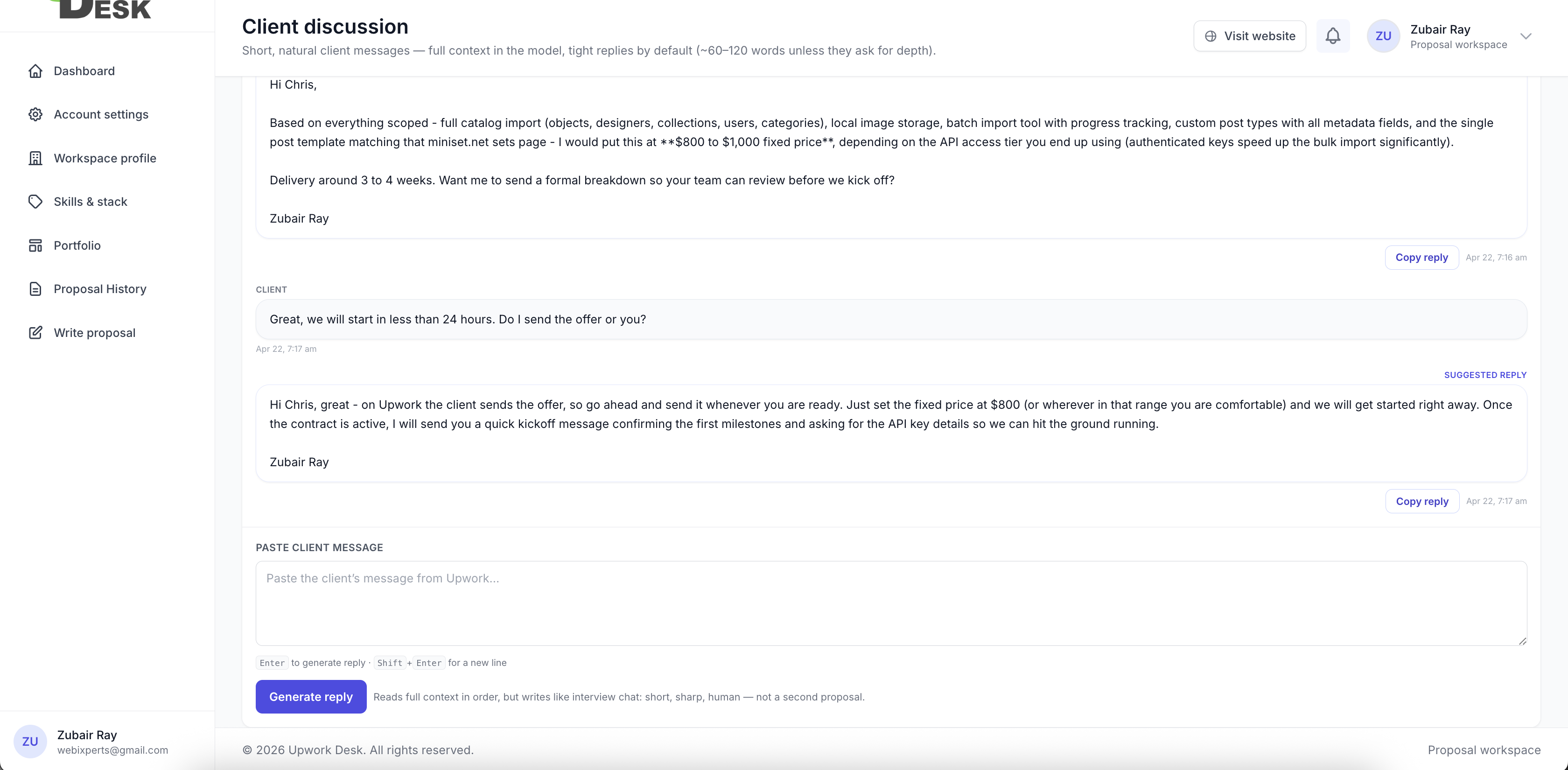
When a client writes back, speed and tone matter. Client Discussion reads the original job, the proposal you already sent, and the thread - then helps you paste short, grounded replies that sound like you, not a second cover letter.
- Handle client replies faster with context-aware drafts tied to the job and your sent proposal.
- Continue interview conversations without redundant questions or scope creep - clarification only when something is genuinely missing.
- Enter sends, Shift+Enter for line breaks - built for fast back-and-forth while you stay in control of what goes to the client.
The unseen value of writing better proposals, faster
When every bid lives in one place, you stop guessing what worked. Upwork Desk tracks your proposals, your answers, and your outcomes - so the next proposal you write is smarter than the last.
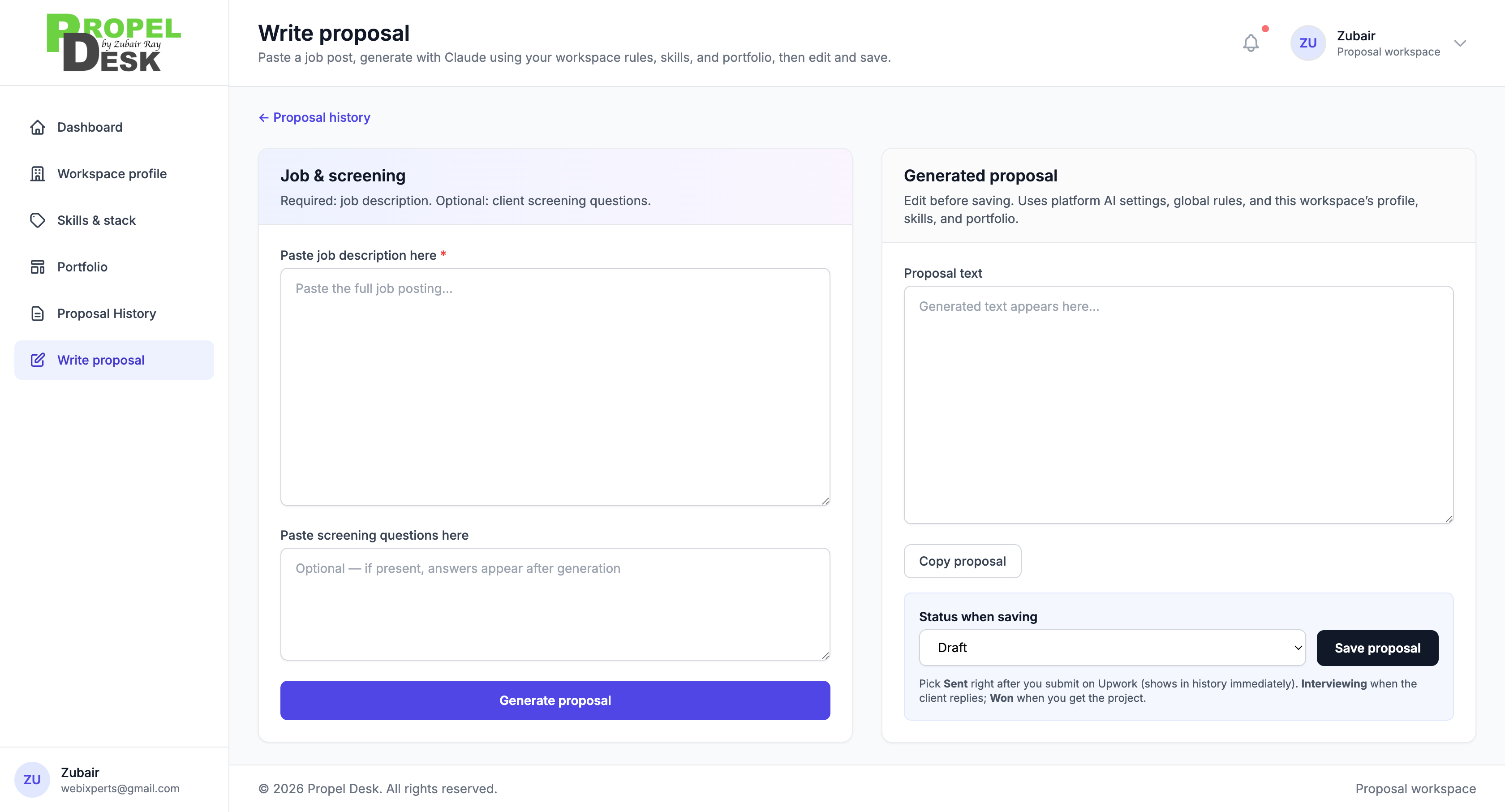
Every draft pulls from your workspace profile and portfolio. Not from a blank page. Not from a generic template. From your actual work history - so you stay consistent while cutting hours off each application.
See how it worksHow to structure your proposal footer & follow-ups
Clear next steps, crisp screening answers, and a consistent sign-off build trust. Use the same workspace voice on the platform and in email.
Status labels - draft, sent, interviewing, won, lost - keep your pipeline honest so you know where to double down.
Learn More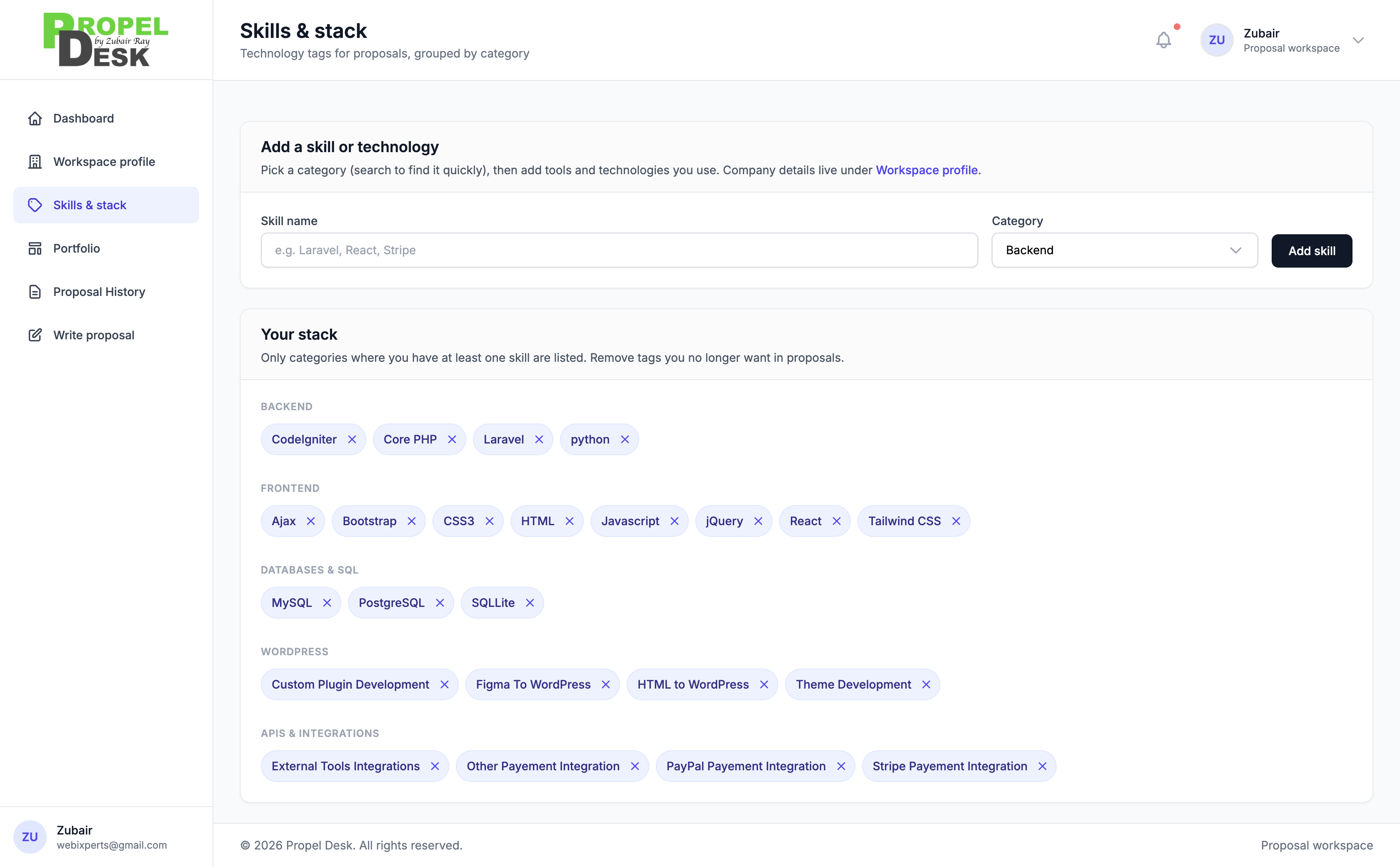
Helping freelancers reinvent how they pitch
Placeholder metrics - replace with real totals when analytics go live.
2,245+
Proposals drafted
46+
Active workspaces
828+
Jobs pasted & parsed
1,926+
Screening blocks answered
Behind Upwork Desk
I build web solutions that solve real business problems. Not just code. Systems that work, scale and last. I build tools for freelancers who live in inboxes and job boards. Upwork Desk is the workflow I always wanted - one profile, real portfolio context, and proposals that sound like me, not a template mill. If you've ever sent a proposal and cringed reading it back, this is for you.

Product gallery
Screenshots and previews of the product experience.
Dashboard
Analytics & snapshot
Write proposal
AI generation flow
Proposal history
Search & filters
Workspace profile
Your brand story
Skills & stack
What you sell
Portfolio
Proof of work
Our Packages
Start with 5 proposals free, then pick a monthly plan.
Grow
Rs 3,000 /mo
30 proposals / month
- 30 proposals per month
- Job Alerts
- Client Dealing Agent
- 1-click Highly convertable proposal
- Your skills, stack and portfolio in every proposal
- Auto filter keyword detection
- Proposal history and status tracking
- Notes field for custom per-proposal instructions
Scale
Rs 5,000 /mo
50 proposals / month
- 50 proposals per month
- Everything in Grow
- Job Alerts
- Client Interview Agent
- 1-click Highly convertable proposal
- Job relevance check before generating
- Client dealing agent
- Proposal pipeline - Draft, Sent, Interviewing, Won, Lost
- Email and WhatsApp support
- User/Team Management
Web app
Install UpworkDesk for quick access
Add it to your home screen — same workspace, faster to open, works like a lightweight app. Follow the steps for your device below.
iPhone & iPad (Safari)
- Tap the Share button in Safari’s toolbar (square with an arrow).
- Scroll and tap “Add to Home Screen”.
- Tap “Add” to confirm.
Android (Chrome)
- Open the menu (⋮) in the top-right of Chrome.
- Tap “Install app” or “Add to Home screen”.
- Confirm if the browser asks.
Tip: installation needs a normal browser tab — not inside some in-app browsers (e.g. Instagram/Facebook). Open this site in Safari or Chrome first.